One scan connects recognition, insight and action.
A person scans a Pulse QR code, recognises the named member of staff who made a difference and leaves a short, structured response.
Pulse checks, routes and organises that feedback so praise reaches the individual and managers gain a clearer picture of what is happening across the organisation.
No app. No account. No long survey.
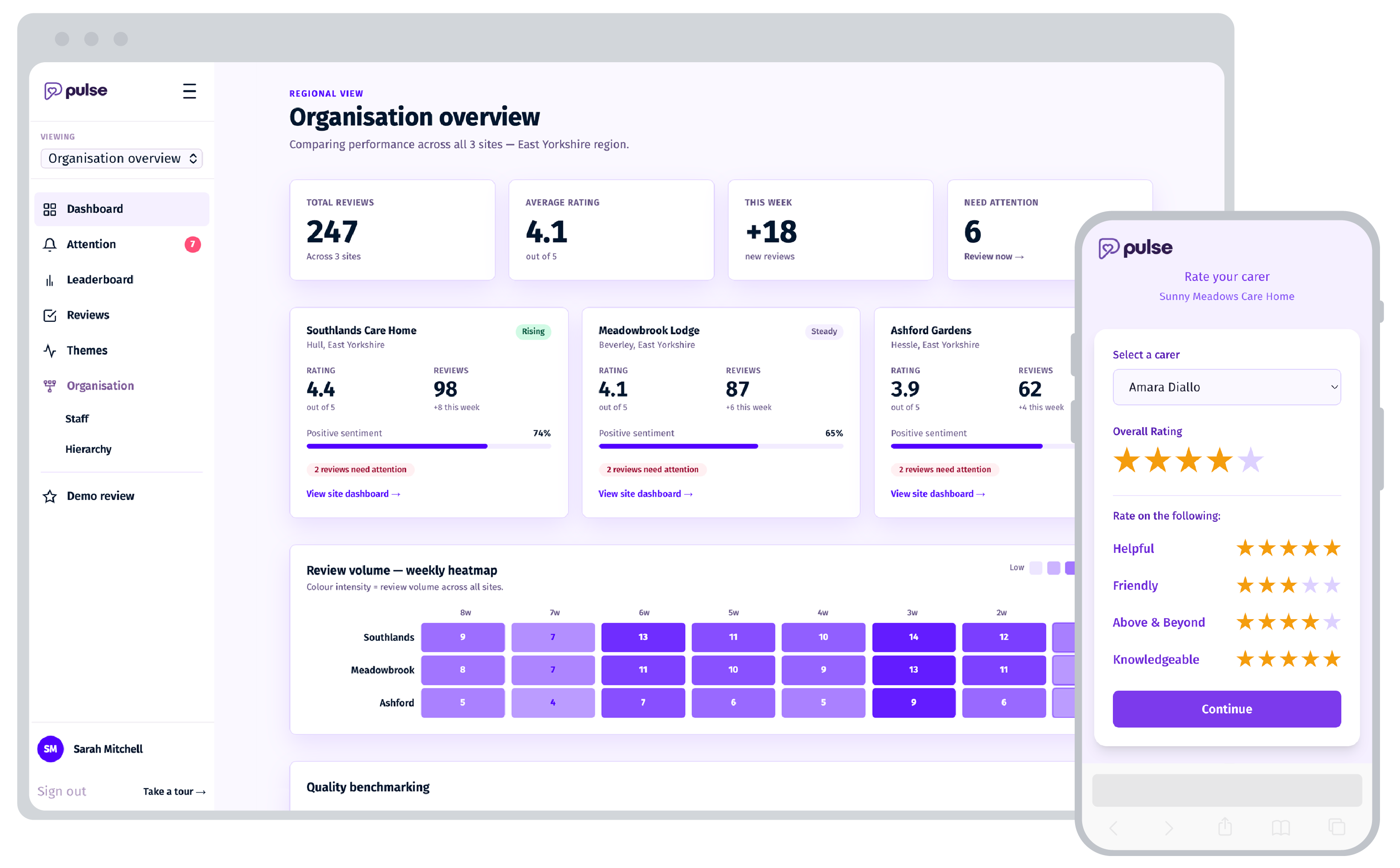
Recognition for people. Insight for teams. Evidence for leaders.
Every piece of feedback does more than capture a moment. Pulse turns individual recognition into live operational insight and a growing evidence base for better decisions.
Make great work visible.
Positive feedback reaches the person who earned it, while the moment is still fresh. Staff can see the difference they are making rather than praise disappearing into a survey, inbox or annual review.
See what is happening across your teams.
Pulse brings individual interactions together to reveal patterns across people, teams, sites and services. See where performance is strong, where support may be needed and what is changing over time.
Turn everyday experience into organisational evidence.
Structured, dated feedback builds a continuous picture of frontline experience. Use it to inform quality improvement, development conversations, service reviews and wider management reporting rather than relying on isolated comments or periodic surveys.
Built around your operating model, from setup to live insight.
Pulse fits around the way your organisation already works. Configure teams and locations, place the QR touchpoints and start capturing feedback. Pulse manages the mobile journey, integrity checks, notifications, routing and reporting, without adding another task for frontline teams.
- No complex integration to get started
- No app or account for reviewers
- Live, role-based management reporting
01
Configure Pulse around your organisation
We confirm your services, locations, teams, reporting lines and feedback settings. Pulse is then configured to reflect your operating model, including user permissions, management routes and reporting views.
Your organisationConfirms its structure, roles and requirements.
Pulse handlesConfiguration, access and rollout preparation.
- Multi-site structure
- Role-based access
02
Prepare your people and feedback touchpoints
Staff can be added in bulk or individually, then connected to the correct service, location or team. Unique QR journeys are prepared for lanyards, badges, posters, table stands, welcome packs or shared devices.
Your organisationProvides staff information and chooses where feedback should be invited.
Pulse handlesUser setup, QR journeys and ready-to-use assets.
- Bulk onboarding
- Unique QR journeys
03
Make feedback effortless
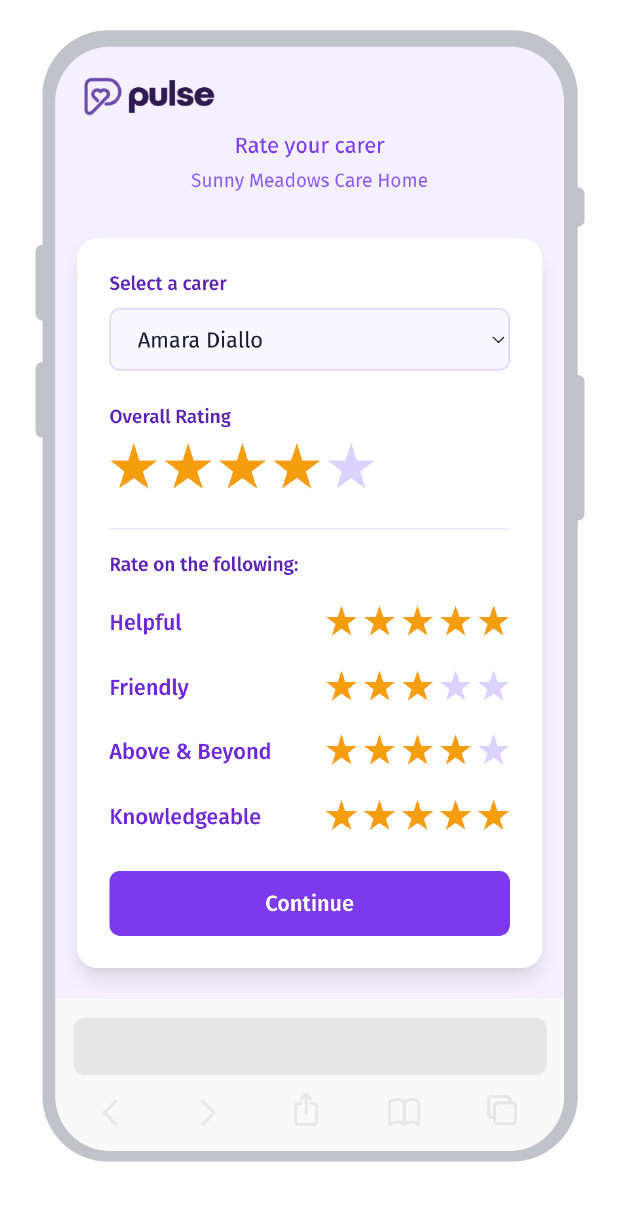
People receiving care, relatives and visitors scan a QR code and go straight to the right feedback journey. They confirm who supported them, answer four focused questions and can add a short comment.
No app, account or lengthy survey. Just a quick, straightforward way to capture meaningful feedback in the moment.
Your organisationPlaces the touchpoints wherever care and support happen.
Pulse handlesThe right journey for each person, service and setting.
- No app or login
- Four focused questions
- Right person, right setting
From scan to feedbackScan
Open the right journey.
Confirm
Select who supported you.
Respond
Answer four questions.
Submit
Pulse handles what happens next.
04
Recognise instantly. Route safely.
Integrity checks assess submissions for suspicious patterns. Positive recognition is sent directly to the staff member by text. Feedback needing attention is held securely and routed to the appropriate manager for review.
Your organisationReviews only the feedback requiring attention.
Pulse handlesIntegrity checking, staff notification and controlled routing.
- Integrity checks
- Managed review
Positive recognition → Staff member receives text
Needs attention → Secure manager review
05
Turn every response into insight and evidence
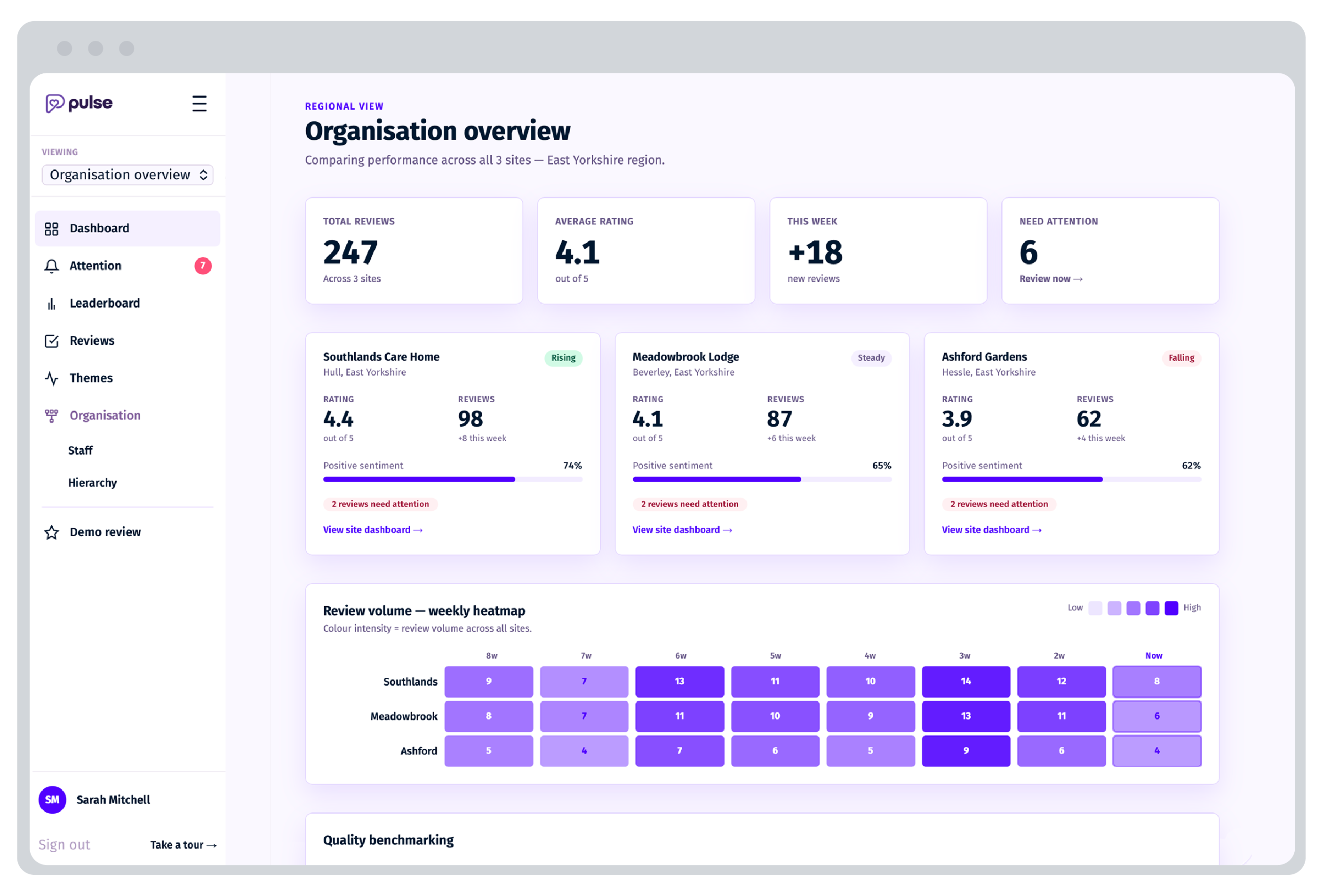
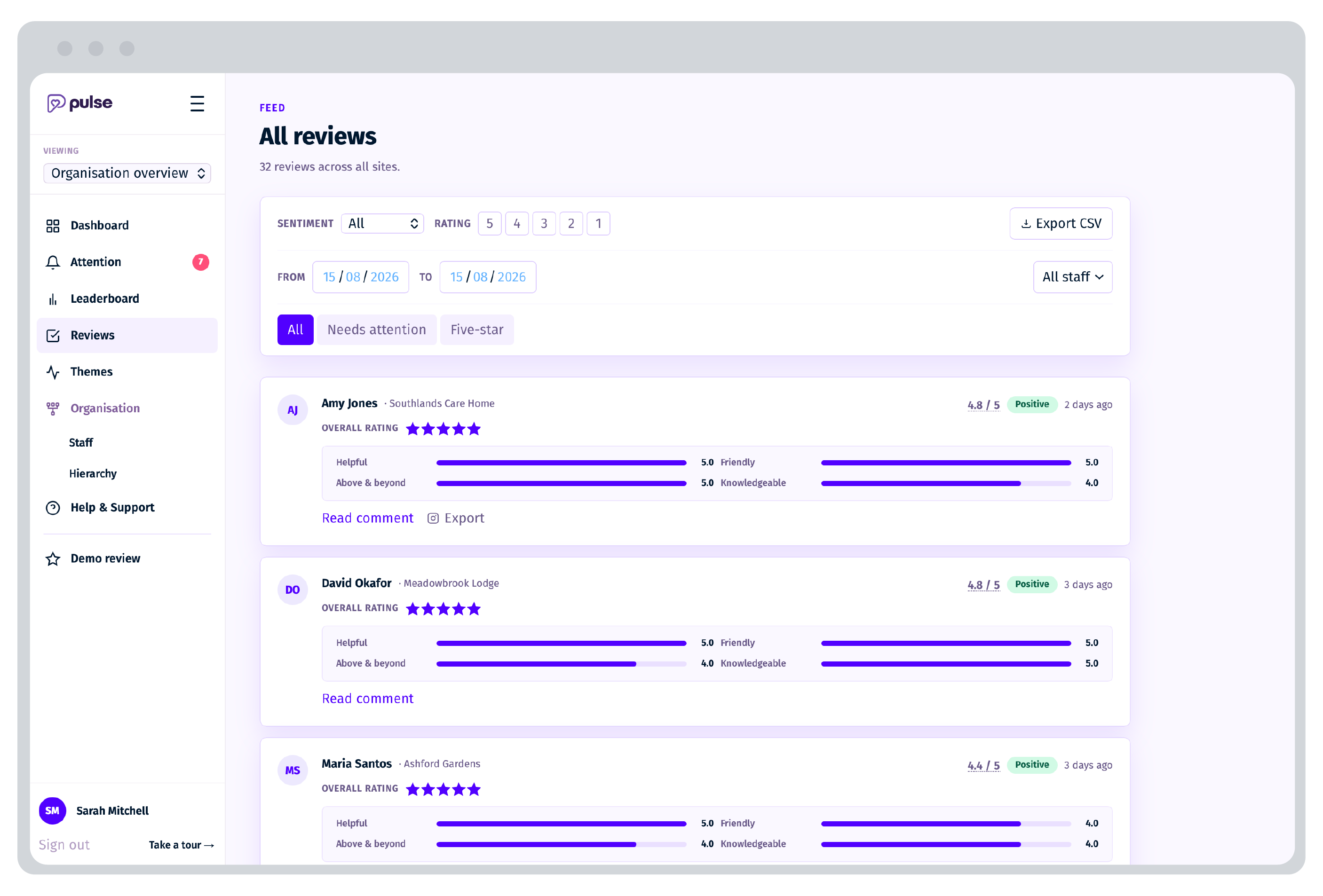
The management dashboard updates automatically, from organisation and region to service, team and individual. Authorised leaders can track recognition, performance trends, strengths and development needs, then export evidence to support supervision, quality improvement and CQC-aligned reporting.
Your organisationUses the insight to recognise people, improve performance and evidence quality.
Pulse handlesOrganising the data and keeping reporting current.
- Live dashboards
- Exportable evidence
See Pulse mapped to your organisation
Book a tailored demonstration to walk through mobilisation, the reviewer experience, management controls and reporting.
Book a demoPut the invitation where the experience is still fresh.
Choose the touchpoints that suit your environment. Every route opens the same organisation-branded journey and feeds into the same secure Pulse dashboard.
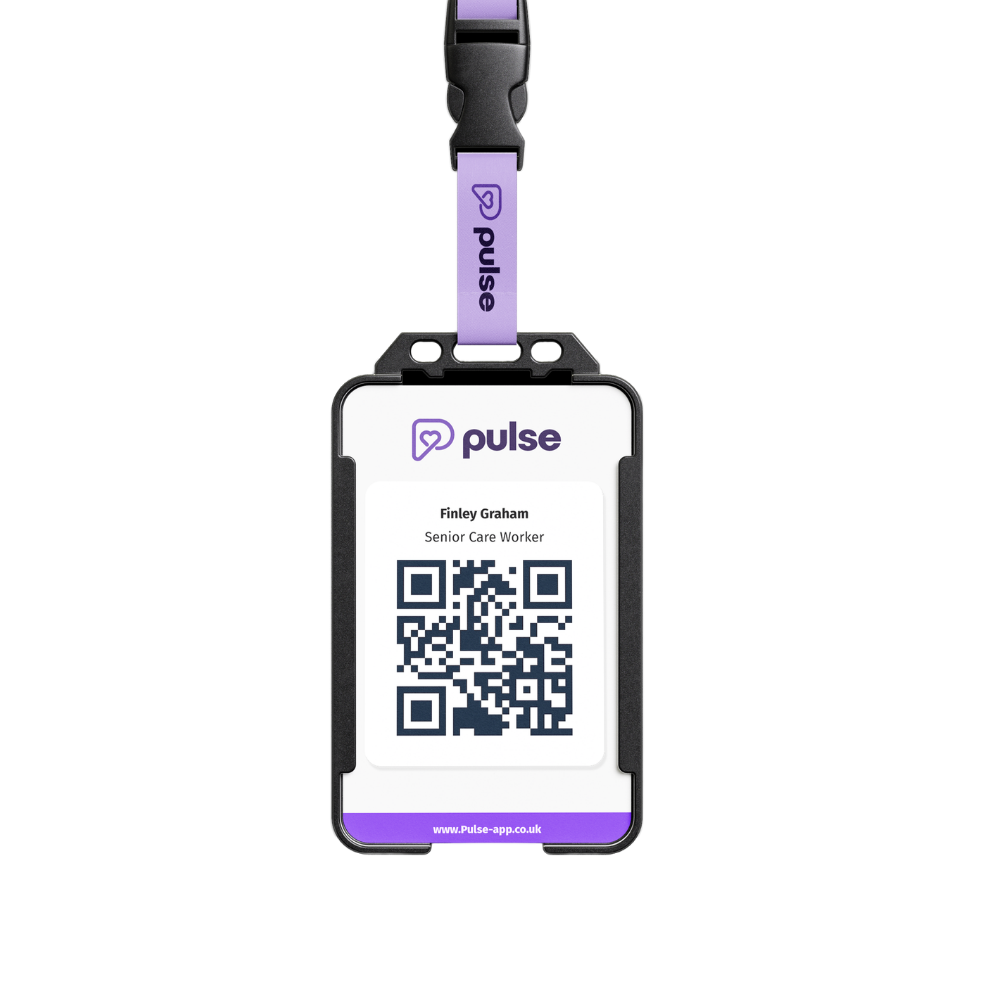
Lanyards and badges
Connect feedback directly to the named person at the point of care, support or service.
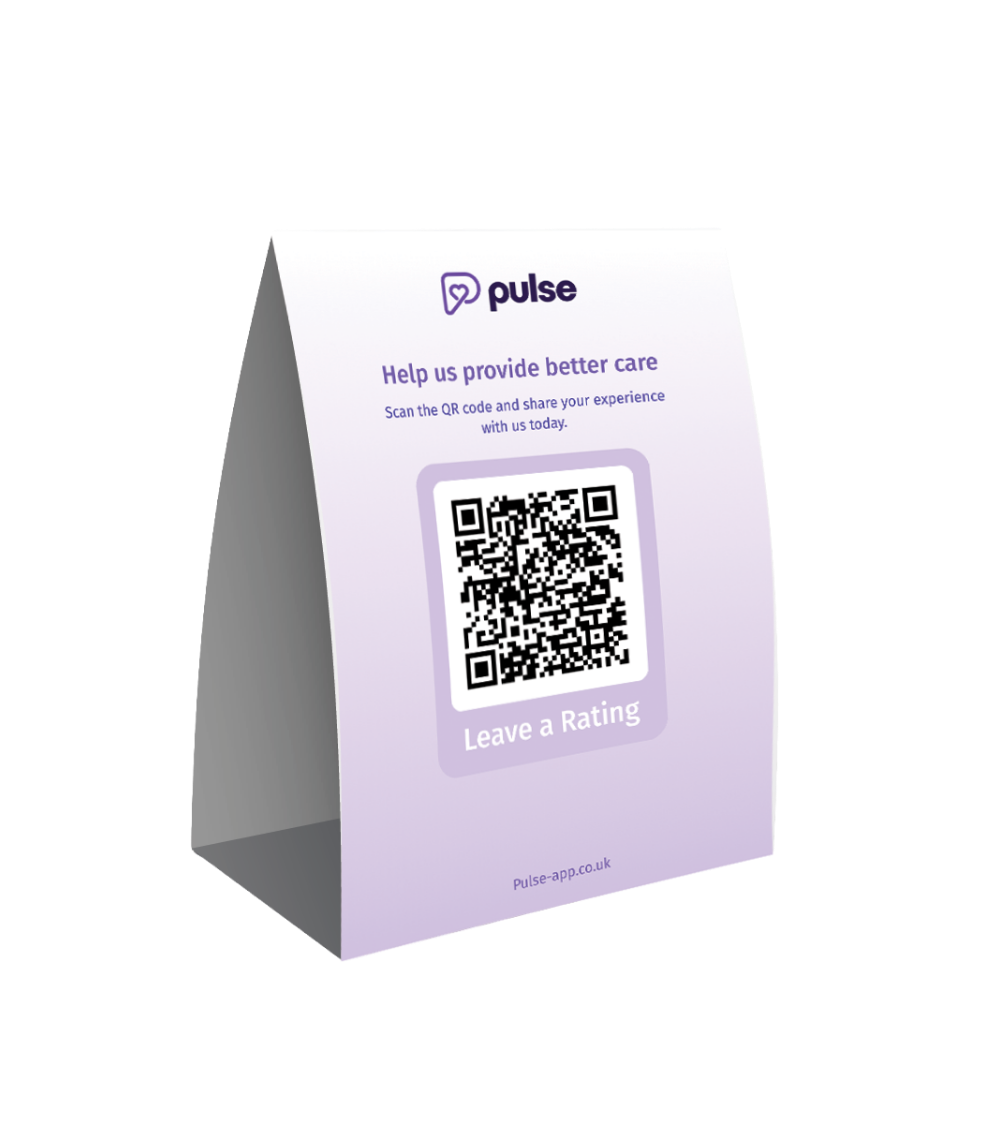
Room and setting stands
Give the people using or visiting a service a visible route to share feedback before they leave.
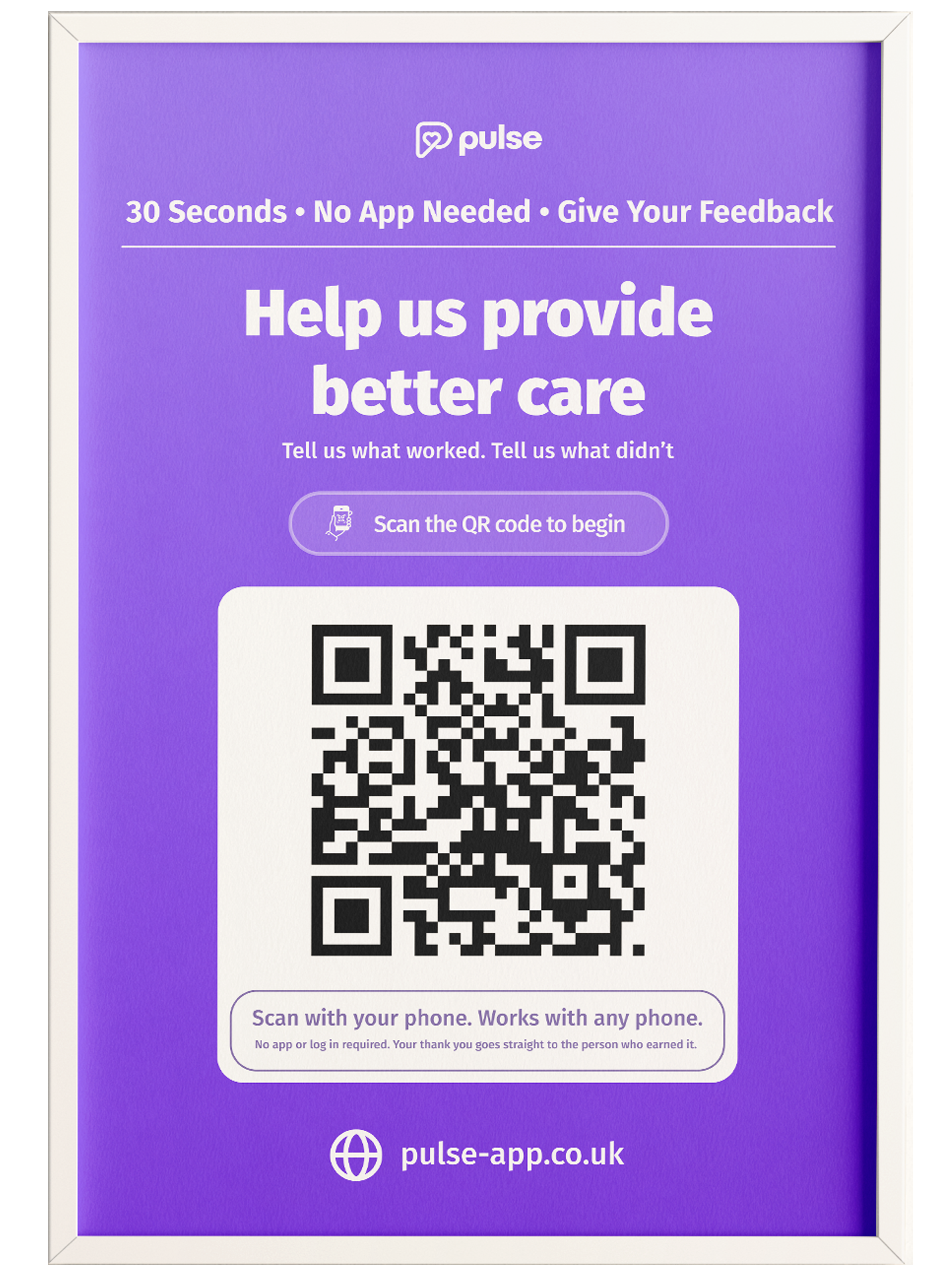
Welcome packs and posters
Create an accessible route that people can use during the experience or return to afterwards.
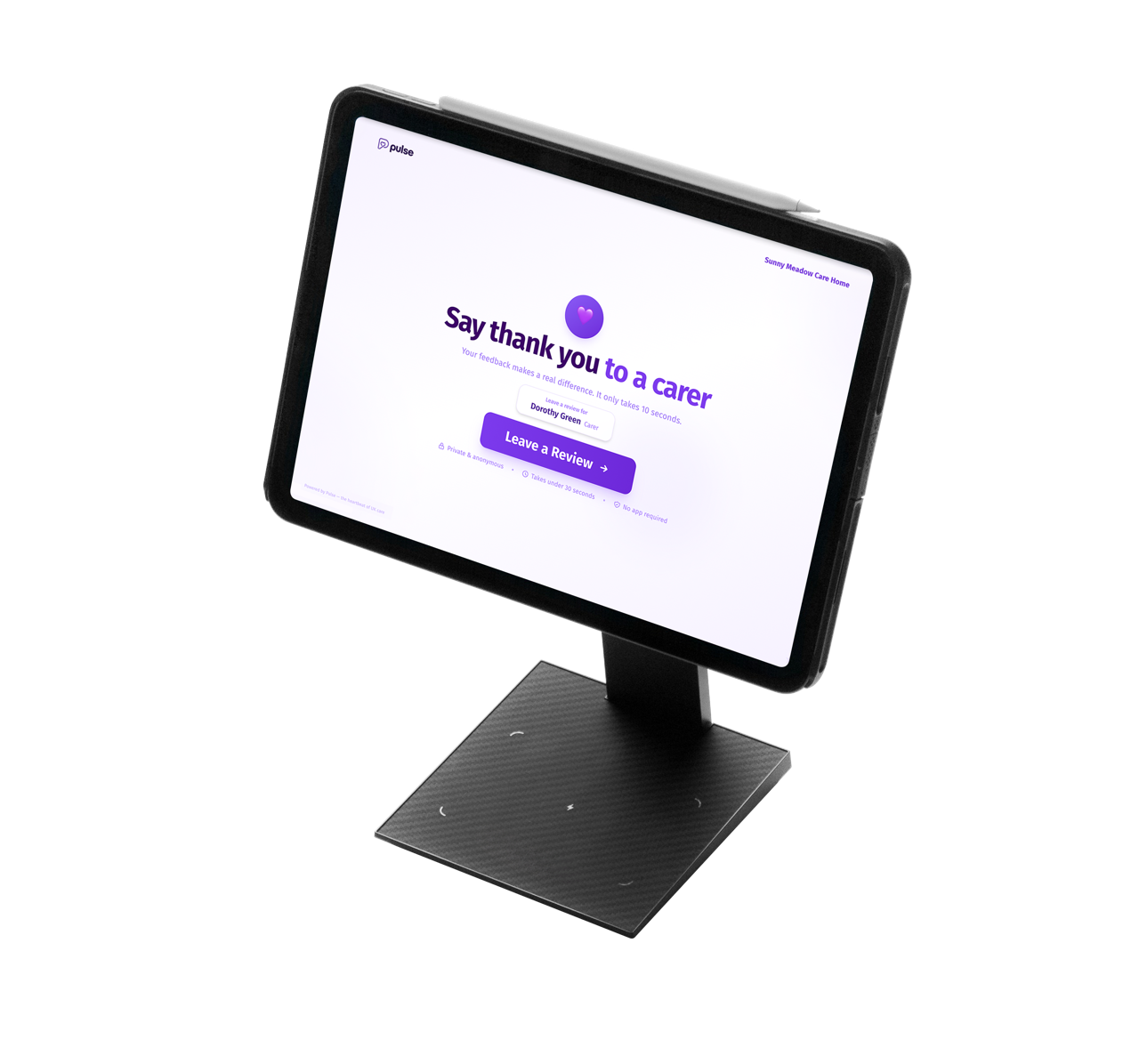
Shared tablets
Offer a managed feedback point in receptions, lounges and other communal areas.
A review journey people can finish in the moment.
The reviewer does not need an app, account or password.
They choose the person they want to recognise, answer four short behaviour-based questions and can add a comment for additional context.
- Helpful
- Friendly
- Above and Beyond
- Knowledgeable
Question wording can be configured to reflect the organisation, service and setting.
Mobile-first and organisation-branded
The journey opens in the browser and is designed to work clearly across smartphone screen sizes.
Four focused questions
A consistent structure makes feedback quick to give and easier to compare over time.
Flexible reviewer details
Feedback can be submitted anonymously or with optional contact details provided by the reviewer.
Managed route for concerns
Responses that indicate an issue or require attention are directed into an appropriate manager review process.
Praise should not disappear into a management report.
When feedback meets the organisation’s configured threshold, it appears in the staff member’s read-only Pulse view within seconds.
They can see what was recognised, when it happened and any comment that was left, creating a clear record of positive moments that might otherwise go unnoticed.
New recognition
See positive feedback as it is received.
Pulse score
Follow a rolling view of ratings across recent responses.
Feedback timeline
View dated ratings and comments together in one place.
Recognition history
Filter and revisit previous feedback without changing the underlying record.
See the pattern, not just the individual comment.
Pulse turns individual responses into a live view across people, teams, sites and services. Managers can identify strengths, emerging issues and changes over time, while retaining the context behind each individual response.
Today's picture
See new feedback, movement in scores and anything requiring attention.
People and teams
Review recognition histories, recurring strengths and potential support needs.
Sites and services
Compare feedback volume, ratings and patterns across locations, settings or organisational levels.
Themes and sentiment
Use AI-supported analysis to surface recurring strengths, concerns and changes in the language people use.
Evidence and action
Turn feedback into a dated record for quality reviews, management conversations and service improvement.
Filter information by date, role, team, site, region or organisation. Data can also be exported or connected to existing systems as the deployment grows.
How Pulse aligns with the CQC framework
Pulse is designed to reflect how good care is experienced in practice. By turning everyday feedback into structured, attributable evidence, it helps providers connect people's experience to the CQC single assessment framework.
The CQC organises assessment around five questions: is care safe, effective, caring, responsive and well-led. Pulse helps providers view feedback in a way that supports those same lenses.
Underpinned by best practice standards and regulatory guidance. Pulse supports inspection readiness; it does not replace professional judgement.
Underpinned by best practice standards, regulatory guidance and the wider evidence base. Pulse supports inspection readiness and continuous improvement; it does not replace professional judgement.
Trusted feedback. Better decisions.
Every Pulse review passes through proprietary fraud detection before it contributes to your data. Built on technology developed through Thankyu's financial platform, it helps identify suspicious behaviour early so managers can make decisions with greater confidence.
Suspicious behaviour checked as it happens.
Every review starts being assessed as soon as it is submitted, helping Pulse identify activity that does not behave like genuine human feedback before it affects your data.
First line of defence
The initial check looks at the submission itself and the context around it.
Make decisions on data you can trust.
Pulse is designed to stop suspicious activity distorting individual performance, organisational scores and the trends your managers rely on.
- Two layers of protectionChecks run when feedback arrives and again across recent activity.
- Privacy by designPulse uses multiple permitted signals and does not depend on a reviewer sharing their name or email.
- Suspicious reviews stay outFlagged feedback is isolated and excluded from organisational scores.
Built on financial technology. Designed for care.
Pulse’s proprietary fraud detection builds on technology developed through Thankyu’s financial platform, combining fintech and security expertise with a founding team experienced in building socially valuable businesses.
We have brought practices from sectors where trust, security and accountability are fundamental and applied them specifically to care.
See how Pulse protects review integrity →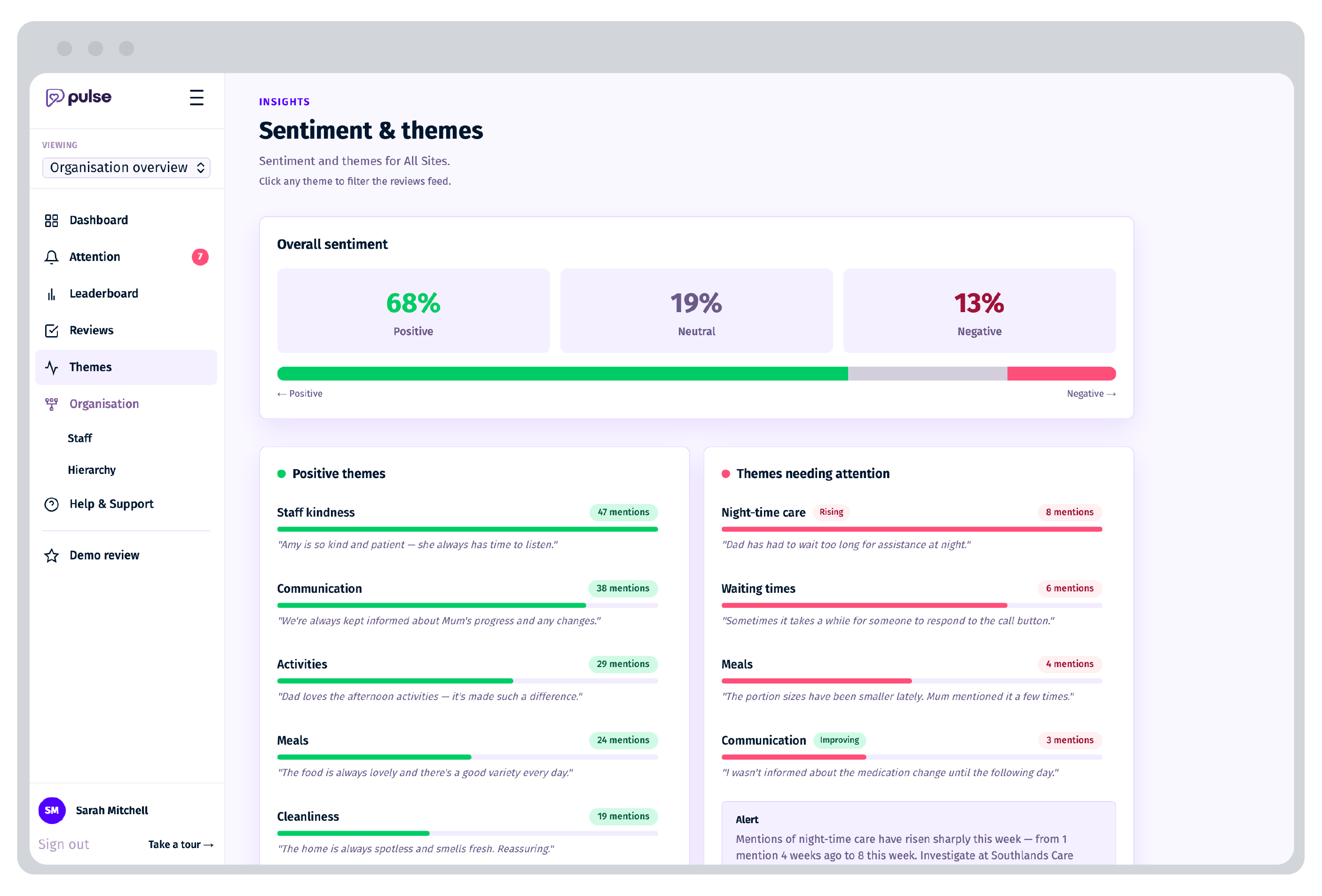
See what people are saying at a glance
Pulse helps care teams quickly spot the themes emerging across reviews, so managers can see what is going well and where attention may be needed.
AI surfaces themes for managers to review, helping teams spot what is working well and what may need attention.
Built to support recognition responsibly
Pulse is designed to help organisations capture useful feedback without turning recognition into surveillance. Controls, positive question design and manager review help keep the experience constructive for staff and useful for leaders.
Positive by design
The four Pulse categories focus on constructive, recognisable care and service behaviours.
Manager review
Feedback that needs attention can be routed for manager review before it is shared more widely.
Authenticity checks
Pulse can help identify unusual patterns and repeated activity, supporting confidence in the feedback.
Governance-ready
Designed to support quality, workforce and operational conversations alongside existing processes.
Role-based visibility
Managers can view the insight relevant to their team, site or organisation.
Data handling and security
For more on how Pulse handles data and security, see the security page.
Visit the security page →Guided setup from the Pulse team
We help configure your organisation, prepare the right touchpoints and get managers into the dashboard, so the process feels simple from day one.
Ready to see Pulse in action?
See how Pulse helps organisations turn everyday recognition into insight, evidence and better conversations about quality.